
Search through all pdfs in a folder using Python
The following python code uses PyPDF2 for extracting text from pdf files. Do note that this is not an OCR engine. It simply checks for the keywords through ALL searchable .pdf files in a particular directory.
# import packages
import PyPDF2
import re
import glob

file_list = glob.glob("*.pdf")
failed_pages = []

# define search string
String = input("Search: ")

for j in file_list:
    # open the pdf file
    print('-'*100)
    print("Opening: \n"+str(j)+"\n")
    obj = PyPDF2.PdfFileReader(j)
    # get number of pages
    NumPages = obj.getNumPages()
    failed_pages = []
    # extract text and do the search
    for i in range(0, NumPages):
        PageObj = obj.getPage(i)
        try:
            Text = PageObj.extractText()
        except:
            Text = ''
            failed_pages.append(i)
            pass
        ResSearch = re.search(String, Text)
        if ResSearch:
            print("Found on page: "+str(i)+" "+(str(Text[ResSearch.start()-30:ResSearch.end()+30])).replace("\n", " "))
    print("Failed pages:"+str(failed_pages))
input("prompt: ")
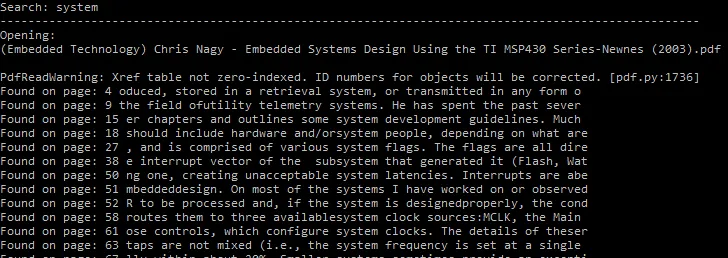
The output looks as follows:
Comments