WiFi RSSI testing
Today I’m going to test three different WiFi products and see if there is any difference between them.
To standardize the test I’ve kept the WiFi access point [D-Link] at about 5 meters away and not in direct LOS. To avoid any plausible effect of interfernce on the test, I removed all wireless devices from the zone.
3 test cases:
- The inbuilt WiFi adapter : Intel(R) Dual Band Wireless-AC 3160 (driver)
- iBall Baton WiFi iB-WUA150NM
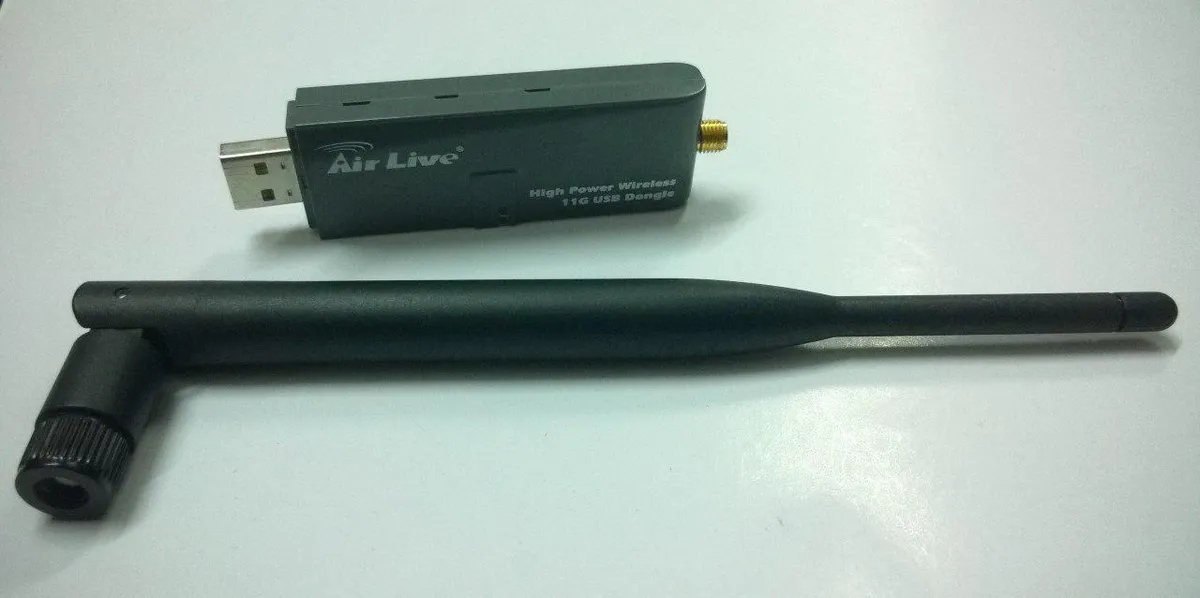
- AirLive WL-1600USB
1. In-built WiFi adapter
First I collected basic info by running Netsh in cmd (Admin) [Netsh is a cool cmd utility that can be used to play around with network settings ]
Netsh WLAN show drivers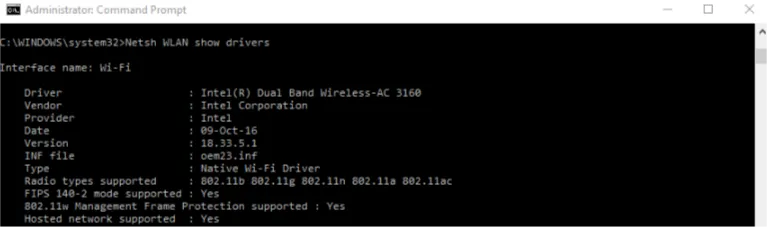
Here’s a guide to using Netsh. The following command would give the strength.
Netsh WLAN show networks mode=bssid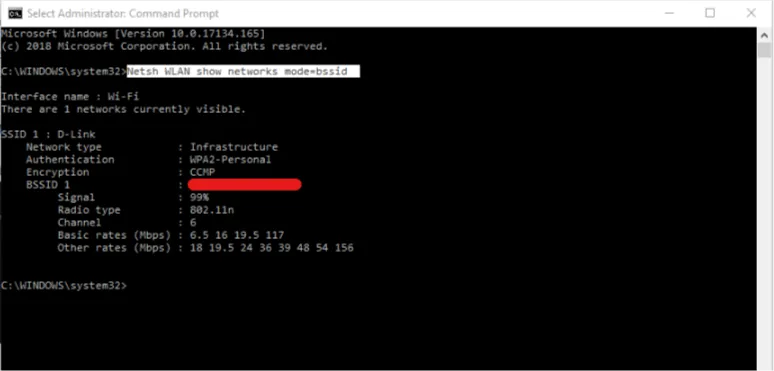
But the values were in % and not dBm. With a bit of searching, it was confirmed that extracting that sort of information was not possible from the command line. Hence I went in search of good open source tools that does the job.
My search ended here. I downloaded the freeware - WiFi Infoview 
Result : - 57 dBm
2. iBall Baton WiFi iB-WUA150NM
Then I switched off the on-board WiFi and plugged in the tiny dongle.
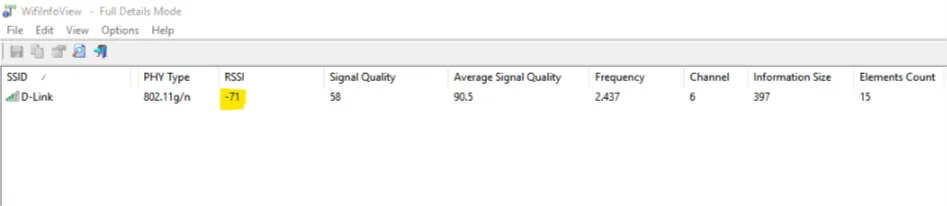 Even the signal quality is very low.
Result : - 71 dBm
3. AirLive WL-1600USB
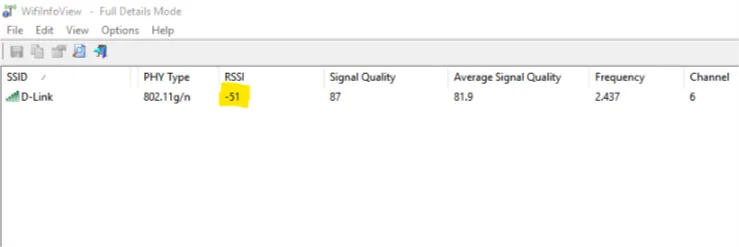
I could clearly see the Signal quality and the RSSI values change with change in orientation of the antenna.
Result : - 51 dBm
{ In an IEEE 802.11 system, RSSI is the relative received signal strength in a wireless environment, in arbitrary units. RSSI is an indication of the power level being received by the receive radio after the antenna and possible cable loss. Therefore, the higher the RSSI number, the stronger the signal. } Source : Wikipedia
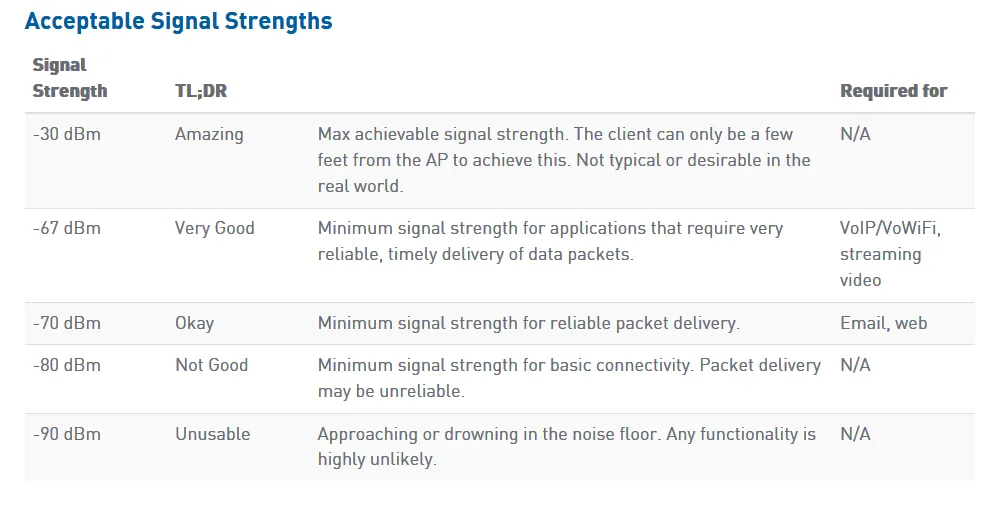
https://www.metageek.com has a list of acceptable signal strength values.
dBm (Decibel-milliwatt)
It is the output power in decibels referenced to 1 mW.
Since dBm is based on a logarithmic scale,for every increase of 3 dBm there is roughly twice the output power, and every increase of 10 dBm represents a tenfold increase in power.
Verdict:
There is a difference of 6dBm between the Airlive Dongle and the in-built WiFi adapter.
Using this formula:  P(mW) = 10(P(dBm)/10)

P(mW) = 100.6
                 = 3.98  ~ 4 times more received signal strength
Hence Airlive Dongle is the clear winner. Now it’s also very obvious that one shouldn’t spend any money on small WiFi dongles that kill your speed.
The antenna 🏆
Comments