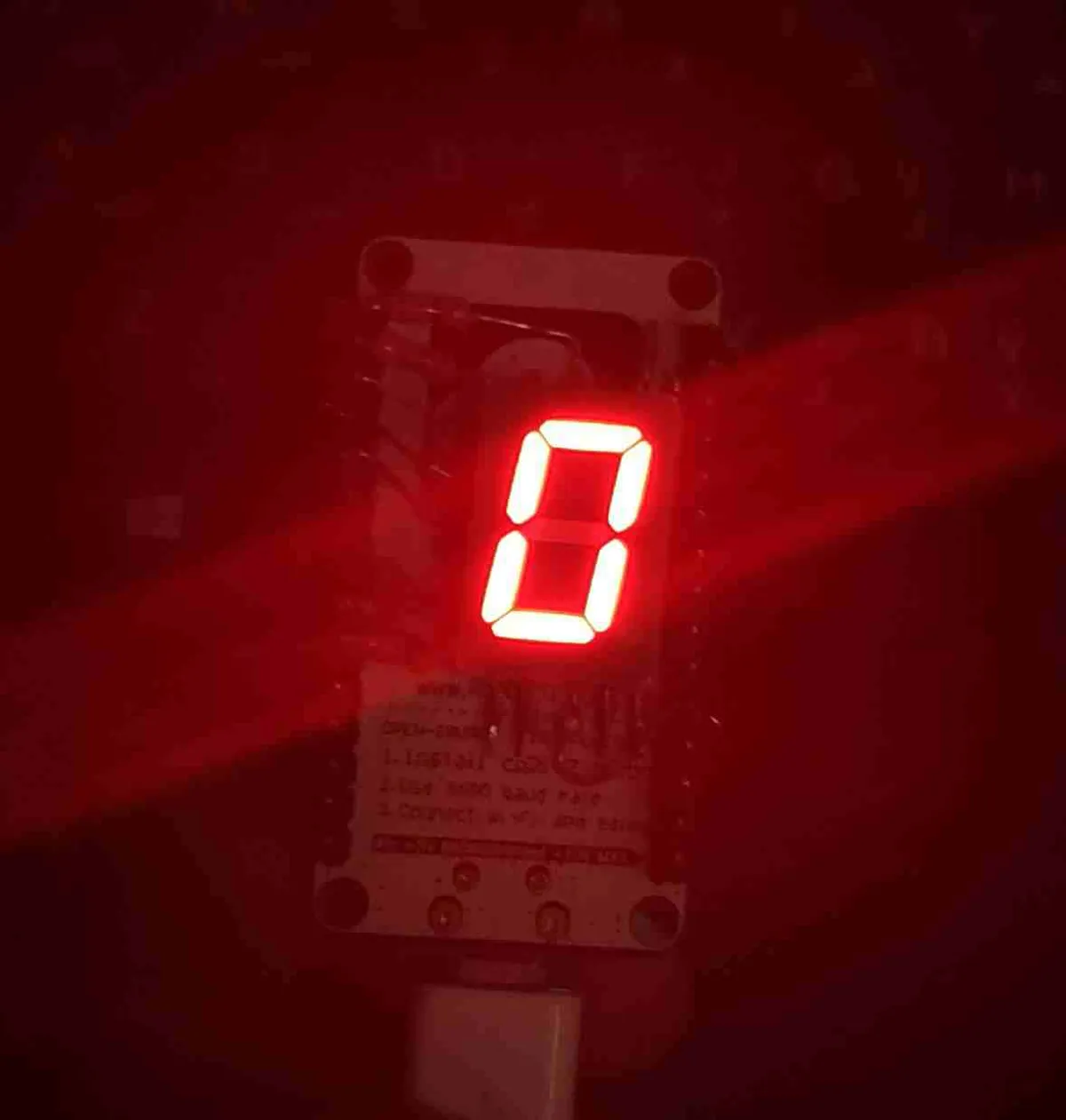
Todoist task tracker using Node MCU and IFTTT

Another weekend project. This shows me the number of tasks I’ve pending to complete in a day. This should help me reach #TodoistZero quicker everyday. I soldered the resistors and the sevensegment display directly onto the Node MCU Amica ( just for the sake of making it compact…it does look messy though).
I took inspiration from the following posts: https://www.instructables.com/id/Internet-Connected-Remembrall/ https://www.instructables.com/id/Task-the-Ambient-Planner/
This is quite an easy thing to try out and you’ll be up and running in less than 2 hours. This uses the Adafruit IO and IFTTT service to fetch data from todoist. The details of setting it up are covered well in the second link posted above. The code found in that post is outdated and “PROGMEM” cannot be used like that. I’ve updated the code accordingly.
[code language=“cpp”] #include #include “Adafruit_MQTT.h” #include “Adafruit_MQTT_Client.h” #ifdef __AVR__ #include #endif // function prototypes void connect(void); const int F = D0; const int G = D1; const int A = D2; const int B = D3; const int DP = D4; const int C = D5; const int D = D6; const int E = D7; /\\\\\\\\\\\\\\\* WiFi Access Point **********************/ #define WLAN_SSID “Enter wifi name here” #define WLAN_PASS “Enter password here” /\\\\\\\\\\\\\* Adafruit.io Setup ***********************/ #define AIO_SERVER “io.adafruit.com” #define AIO_SERVERPORT 1883 #define AIO_USERNAME “glenzac” #define AIO_KEY “enter your key here” /\\\\\* Global State (you don’t need to change this!) *********/ // Create an ESP8266 WiFiClient class to connect to the MQTT server. WiFiClient client; // Store the MQTT server, client ID, username, and password in flash memory. // This is required for using the Adafruit MQTT library. //const char MQTT_SERVER[]; PROGMEM = AIO_SERVER; // Set a unique MQTT client ID using the AIO key + the date and time the sketch // was compiled (so this should be unique across multiple devices for a user, // alternatively you can manually set this to a GUID or other random value). //const char MQTT_CLIENTID[]; PROGMEM = __TIME__ AIO_USERNAME; //const char MQTT_USERNAME[]; PROGMEM = AIO_USERNAME; //const char MQTT_PASSWORD[] ;PROGMEM = AIO_KEY; // Setup the MQTT client class by passing in the WiFi client and MQTT server and login details. Adafruit_MQTT_Client mqtt(&client, AIO_SERVER, AIO_SERVERPORT, AIO_USERNAME, AIO_KEY); /\\\\\\\\\\\\\\\\\\\\\\\\\\\\\\ Feeds ***************************************/ // Setup a feed called ‘Todoist New Tasks’ for subscribing to changes. // Notice MQTT paths for AIO follow the form: /feeds/ const char TODOIST_NEW_TASKS_FEED[] = AIO_USERNAME “/feeds/Todoist_new” ; //PROGMEM = AIO_USERNAME “/feeds/Todoist_new”; Adafruit_MQTT_Subscribe Todoist_new = Adafruit_MQTT_Subscribe(&mqtt, TODOIST_NEW_TASKS_FEED); // Setup a feed called ‘Todoist Completed Tasks’ for subscribing to changes. // Notice MQTT paths for AIO follow the form: /feeds/ const char TODOIST_COMPLETED_TASKS_FEED[] = AIO_USERNAME “/feeds/Todoist_done”;//PROGMEM = AIO_USERNAME “/feeds/Todoist_done”; Adafruit_MQTT_Subscribe Todoist_done = Adafruit_MQTT_Subscribe(&mqtt, TODOIST_COMPLETED_TASKS_FEED); /\\\\\\\\\\\\\\\\\\\\\\\\\\\* Sketch Code ************************************/ int taskcounter = 0; //taskcounter will track the amount of tasks we add and complete to our //Todoist list and light up or shut off the corresponding LED. We start at void setup() { 2 pinMode(A, OUTPUT); digitalWrite(A, HIGH); pinMode(B, OUTPUT); digitalWrite(B, HIGH); pinMode(C, OUTPUT); digitalWrite(C, HIGH); pinMode(D, OUTPUT); digitalWrite(D, HIGH); pinMode(E, OUTPUT); digitalWrite(E, HIGH); pinMode(F, OUTPUT); digitalWrite(F, HIGH); pinMode(G, OUTPUT); digitalWrite(G, HIGH); pinMode(DP, OUTPUT); digitalWrite(DP, HIGH); onA(); onB(); onC(); onD(); onE(); onF(); offG(); Serial.begin(115200); Serial.println(F(“Adafruit IO Example”)); // Connect to WiFi access point. Serial.println(); Serial.println(); delay(10); Serial.print(F(“Connecting to ”)); Serial.println(WLAN_SSID); WiFi.begin(WLAN_SSID, WLAN_PASS); while (WiFi.status() != WL_CONNECTED) { onDP(); delay(50); offDP(); delay(450); Serial.print(F(”.”)); } Serial.println(); Serial.println(F(“WiFi connected”)); onDP(); Serial.println(F(“IP address: ”)); Serial.println(WiFi.localIP()); // listen for events on both the Todoist feeds mqtt.subscribe(&Todoist_new); mqtt.subscribe(&Todoist_done); // connect to adafruit io connect(); } void loop() { Adafruit_MQTT_Subscribe *subscription; // ping adafruit io a few times to make sure we remain connected if (! mqtt.ping(3)) { // reconnect to adafruit io if (! mqtt.connected()) connect(); } // this is our ‘wait for incoming subscription packets’ busy subloop while (subscription = mqtt.readSubscription(1000)) { // we only care about the Todoist New Task events if (subscription == &Todoist_new) { // convert mqtt ascii payload to int char *value = (char *)Todoist_new.lastread; Serial.print(F(“Received: ”)); Serial.println(value); taskcounter++; //We have added a task, so taskcounter goes up one Serial.println(taskcounter); if (taskcounter = 0) mqtt.disconnect(); Serial.println(F(“Retrying connection…”)); offDP(); delay(5000); } Serial.println(F(“Adafruit IO Connected!”)); onDP(); delay(10); offDP(); delay(200); onDP(); } [/code]
Comments