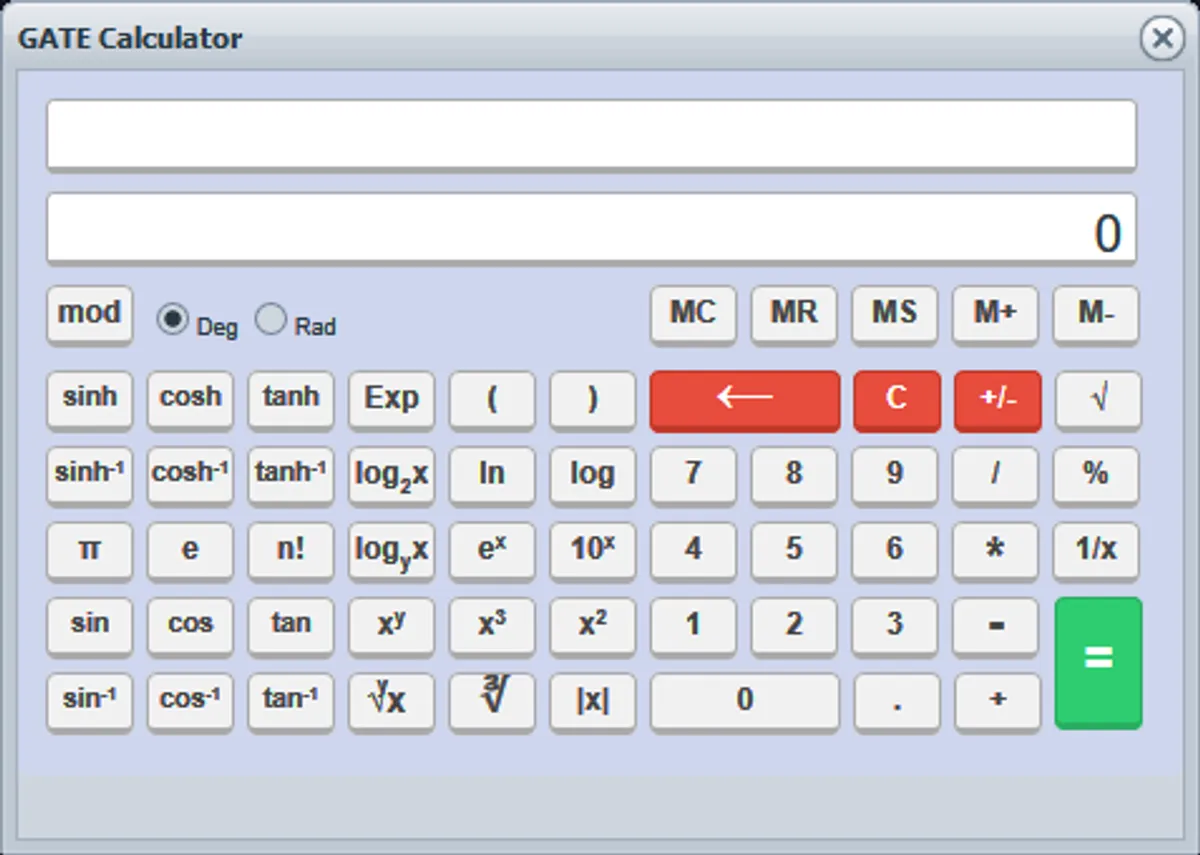
GATE Offline Calculator for Windows (.exe)

There are plenty of Online GATE calculators out there, but I didn’t wanna fire up my browser every time I needed to calculate something. So I decided to make this small executable file for windows. It is based on the same calculator available online and also looks the same and has the same features and limitations too. Click to run. No install required.
Download: Gate Calculator.exe
Calculator Instructions
Allows you to perform basic and complex mathematical operations such as:
- modulus
- square and cube roots
- trigonometric
- exponential
- logarithmic
- hyperbolic functions
You can operate the calculator only using the buttons provided on the screen with your mouse.
DO’S:
- Be sure to press [C] when beginning a new calculation.
- Simplify an equation using parenthesis and other mathematical operators.
- Use predefined constants such as π, log, Exp to save time during the calculation.
- Use memory function for calculating cumulative totals.
- [m+]:-will-add-displayed-value-to-memory.
- [mr]:-will-recall-the-value-stored-in-memory.
- [m-]:-subtracts-the-displayed-value-from-memory.
- Ensure that the appropriate angle unit (Deg or Rad) is selected before beginning any calculation.
- By default angle unit is set as Degree
DONT’S
- Perform multiple operations together.
- Leave parenthesis unbalanced.
- Change the angle unit (Deg or Rad) while performing a calculation..
Limitations:
- Keyboard operation is disabled.
- The output for a Factorial calculation is precise up to 14 digits.
- The output for Logarithmic and Hyperbolic calculations is precise up to 5 digits.
- Modulus (mod) operation performed on decimal numbers with 15 digits would not be precise.
- Use mod operation only if the number comprises of less than 15 digits i.e. mod operation provides best results for smaller numbers. The range of value supported by the calculator is 10(-323) to 10(308).
Comments