Examples
This page shows svblock output for various SystemVerilog module patterns. All
diagrams are generated from real .sv test fixtures included in the
repository.
Simple Module
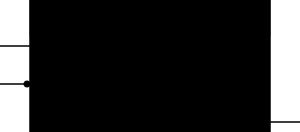
A minimal 3-port module with automatic heuristic grouping. Note the clock
triangle on clk and the active-low bubble on rst_n – these decorators
are inferred from the port names.
module simple (
    input  logic clk,
    input  logic rst_n,
    output logic data_out
);
endmodule
Annotated Module with Groups
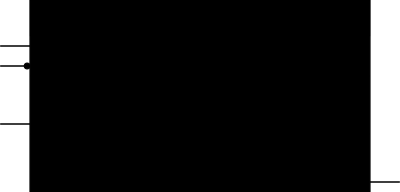
Explicit // @sym group="..." annotations create labeled sections. The
hide=true annotation hides debug_out from the diagram entirely.
module annotated (
    // @sym group="Clocks"
    input  logic       clk,
    input  logic       rst_n,

    // @sym group="Data In"
    input  logic [7:0] data_in,
    input  logic       valid_in,

    // @sym group="Data Out"
    output logic [7:0] data_out,
    output logic       valid_out,

    // @sym hide=true
    output logic       debug_out
);
endmodule
Bus Ports with Parameters
Parametric bus widths are preserved as strings (e.g., WIDTH-1:0). The
parameter block is displayed in the diagram header. Bus pins are rendered with
thicker strokes.
module bus_mod #(
    parameter int WIDTH = 8
)(
    input  logic [WIDTH-1:0] data_in,
    output logic [WIDTH-1:0] data_out,
    input  logic [3:0]       nibble,
    input  logic [3:0][7:0]  matrix
);
endmodule
Interface Ports
Interfaces with modports are detected and rendered with diamond decorators on the right side of the diagram.
interface axi_if;
    logic valid;
    logic ready;
    modport master (output valid, input ready);
    modport slave  (input valid, output ready);
endinterface

module iface_mod (
    input  logic      clk,
    axi_if.master     axi_m,
    axi_if.slave      axi_s
);
endmodule
Large Module
A realistic example with multiple annotated groups, parametric bus widths, clock/reset detection, and various port types. This demonstrates how svblock handles complex real-world modules.
module large_mod #(
    parameter int DATA_W  = 32,
    parameter int ADDR_W  = 16,
    parameter int ID_W    = 4
)(
    // @sym group="Clocks & Resets"
    input  logic              clk,
    input  logic              rst_n,

    // @sym group="Write Channel"
    input  logic [ADDR_W-1:0] wr_addr,
    input  logic [DATA_W-1:0] wr_data,
    input  logic [3:0]        wr_strb,
    input  logic              wr_valid,
    output logic              wr_ready,
    input  logic [ID_W-1:0]   wr_id,

    // @sym group="Read Channel"
    input  logic [ADDR_W-1:0] rd_addr,
    input  logic              rd_valid,
    output logic              rd_ready,
    output logic [DATA_W-1:0] rd_data,
    output logic              rd_resp,
    output logic [ID_W-1:0]   rd_id,

    // @sym group="Control"
    input  logic              enable,
    input  logic [1:0]        mode,
    output logic              busy,
    output logic              error,

    // @sym group="Status"
    output logic [7:0]        fifo_count,
    output logic              fifo_full,
    output logic              fifo_empty,

    // @sym group="Interrupts"
    output logic              irq,
    output logic              irq_wr_done,
    output logic              irq_rd_done,
    output logic              irq_error
);
endmodule
Pin Decorators
svblock automatically applies visual decorators to pins based on port characteristics:
Decorator |
Symbol |
Applied When |
|---|---|---|
Clock |
Triangle (small arrow) |
Port name matches |
Active-low |
Bubble (small circle) |
Port name ends with |
Bus |
Thick stroke |
Port has a bus range (e.g., |
Interface |
Diamond |
Port is an interface/modport type |
Inout |
Double arrow |
Port direction is |
All decorators can be suppressed with --no-decorators.
Block Diagram
With --block-diagram, svblock renders the internal structure of a module
instead of its pin interface. Child instances appear as boxes with arrows
showing connectivity. See Block Diagrams for full documentation.
module top(
    input  logic        clk,
    input  logic [7:0]  x,
    output logic [7:0]  y
);
    logic [7:0] a_to_c, b_to_c;

    mod_a u_a(.clk(clk), .data_in(x),     .data_out(a_to_c));
    mod_b u_b(.clk(clk), .b_in(x),        .b_out(b_to_c));
    mod_c u_c(.clk(clk), .c_in1(a_to_c),  .c_in2(b_to_c), .c_out(y));
endmodule